01 / EDIT
A timeline that works with you.
Arrange and trim clips across multiple video and audio tracks. Build your edit with precise timing, transitions, and familiar editing controls.
Meet ArcSpan Studio — a focused Windows video editor built for creators who want control over every cut, every transition, and every detail.
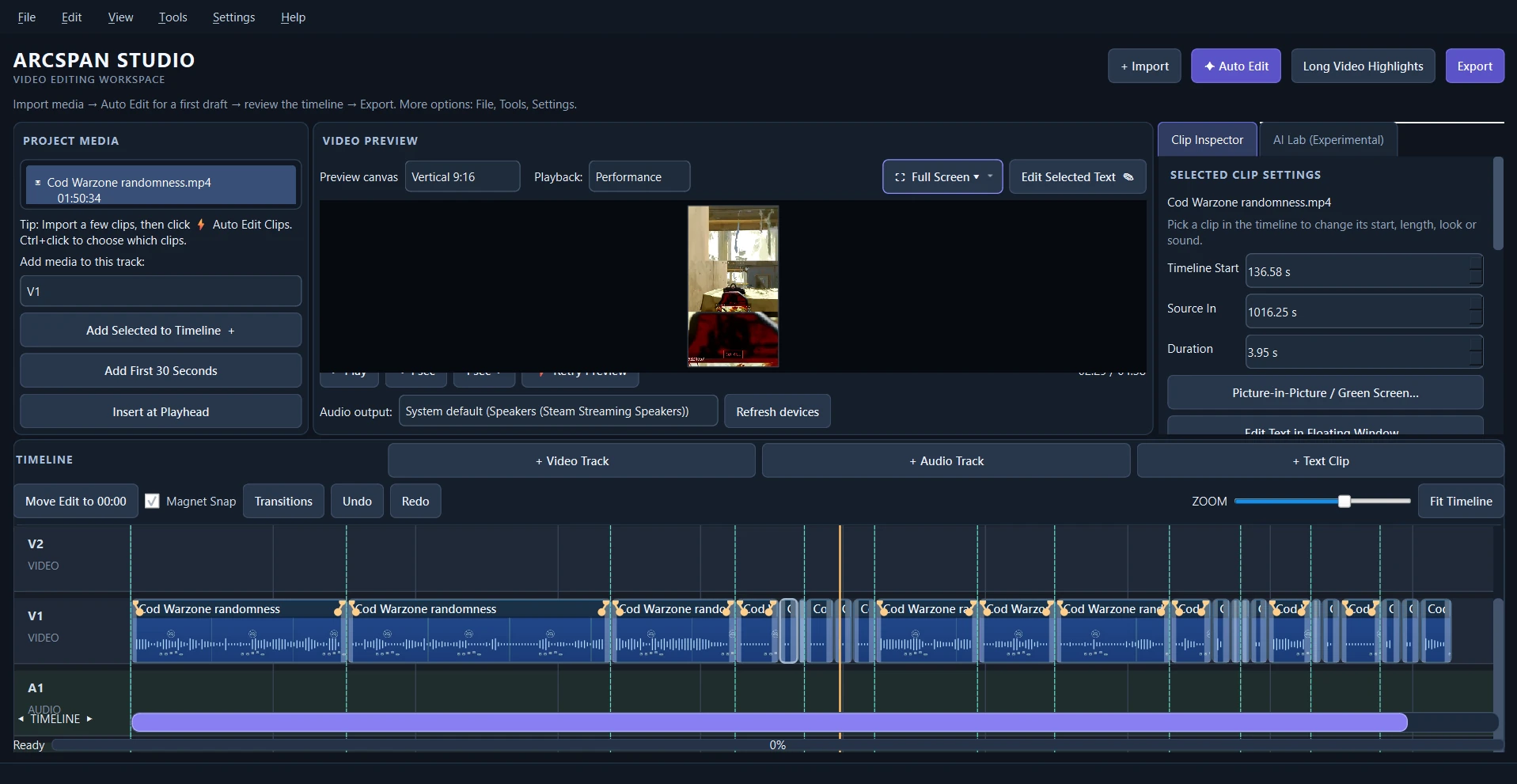
A look inside the actual ArcSpan Studio development build. Experimental AI controls visible in screenshots are not included in the planned public beta.
BUILT AROUND THE EDIT
Whether you're refining a gameplay highlight or assembling a longer project, the tools should support your creative decisions — not get in your way.
Core editing tools, a clear layout, and hands-on control from your first import through export.
01 / EDIT
Arrange and trim clips across multiple video and audio tracks. Build your edit with precise timing, transitions, and familiar editing controls.
02 / PREVIEW
Work with landscape and vertical compositions, preview changes, and refine your project before exporting.
03 / REFINE
Adjust clip timing in the inspector, build transitions, and work with text and audio inside the editing workspace.
04 / DELIVER
Prepare exports for the formats you create in, with a desktop workflow that keeps your media files under your control.
Edit in vertical or landscape orientation without leaving your desktop workflow. Explore the actual interface below.
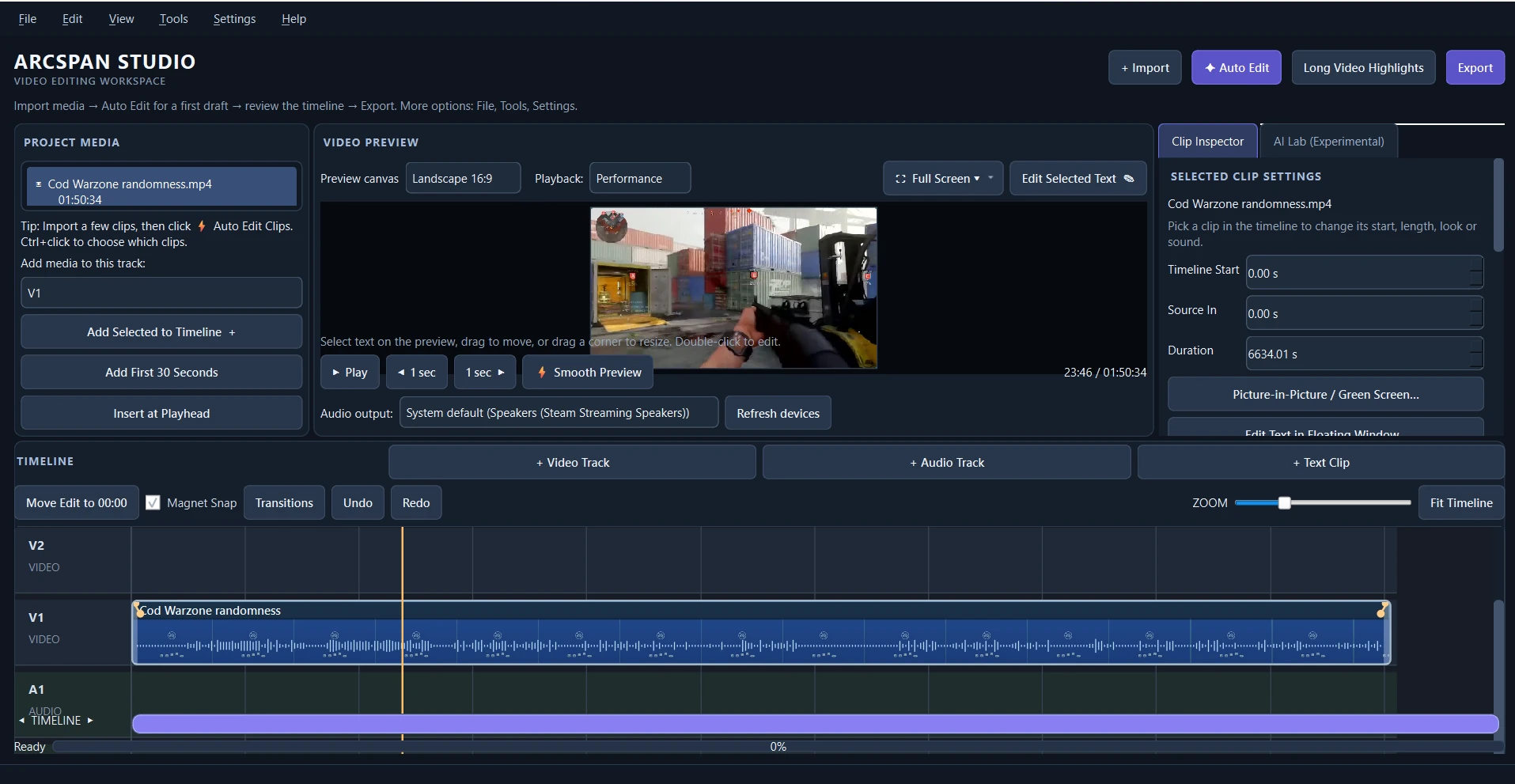
We're preparing an early release focused on the working video editor: timeline controls, preview, project editing, and export. The first beta will be an opportunity to put these workflows through real-world testing.
Planned month-to-month pricing. No purchase or subscription is available on this site yet.
EARLY ACCESS
BETA PRICINGDiscounted access during the paid beta period, once available.
STANDARD
AFTER BETAPlanned regular monthly subscription pricing after beta concludes.
Prices shown are planned US prices and may change before sales begin. A limited number of invited volunteer beta testers may receive complimentary access. Experimental AI editing is not included or promised. Subscribers will receive the full billing terms before checkout; existing subscriptions will not be increased without the required notice and consent.
Clear expectations are part of a better creative workflow.
Not yet. The public beta installer, account registration, and checkout are being prepared and tested. This page will be updated when access opens.
Yes. ArcSpan Studio is being developed as a Windows desktop video editor. Final supported system requirements will be published before beta distribution.
AI Director is an experimental development feature and is not part of the planned public beta offering. We're concentrating on dependable manual editing first.
No. Paid beta access is planned at $9.99/month, with standard pricing planned at $14.99/month after beta. The exact transition and billing terms will be shown before anyone subscribes.
ArcSpan Studio is designed as a local desktop editor. Account and license checks are planned to use a small online authentication service, but video editing itself is intended to run on your computer.
 ARCSPAN STUDIO
Professional tools. A focused workspace. A better way to shape the footage that matters to you.
Back to the beginning Public beta and subscriptions are not yet open.